

Updated on August 23, 2026
Sending a fax from Microsoft Outlook without a dedicated machine or physical phone line requires leveraging cloud-based solutions or specialized gateway domains. Microsoft 365 applications such as Word, Excel, and Outlook do not include built-in native faxing capabilities, meaning users must rely on external infrastructure to bridge the gap between email and traditional telecommunication networks.
Key takeaways
- Microsoft 365 applications lack native faxing functionality, requiring an external online fax service, cloud add-in, or Windows Fax and Scan tool.
- Email-to-fax gateways allow users to send documents directly from Outlook by entering the recipient number followed by the specific cloud provider domain.
- Windows Fax and Scan remains an option for older systems, but modern ARM-based hardware and Windows 11 PCs typically lack the necessary physical modem or connected phone line.
Can You Fax from Outlook Without a Dedicated Machine?
Sending faxes directly from your email client eliminates the need for standalone hardware, dedicated telephone lines, or cumbersome physical maintenance. Because desktop and web-based email applications run independently of traditional fax protocols, connecting them requires an intermediate translation layer that converts digital data packets into audio frequencies recognized by legacy fax machines.
Does Microsoft 365 offer native faxing capabilities?
Microsoft 365 applications such as Word, Excel, and Outlook do not include built-in native faxing capabilities. Standard subscriptions provide robust email, spreadsheet, and word processing tools, but they lack the underlying telephony infrastructure required to dial out to a traditional fax number. Relying solely on a default Office installation will not yield any outbound fax transmission options.
To bypass this hardware limitation, businesses implement external routing mechanisms. These setups integrate smoothly with standard email workflows, allowing team members to handle fax communications with the same familiarity as sending a standard message with attachments.
How does email-to-fax gateway work with Outlook?
Cloud fax services convert email attachments such as PDFs, Word documents, and images into fax transmissions through a carrier network. When an outgoing message enters the system, the provider acts as a translator, stripping away standard SMTP headers and transforming the enclosed file formats into standard G3 or G4 fax signals.
This infrastructure operates invisibly in the background. The sender simply drafts an ordinary message, attaches the required file, and hits send. The entire routing process handles the translation in seconds without requiring local hardware.
How to Send a Fax from Outlook Using Email-to-Fax
Executing an outbound transmission through your standard inbox relies on specialized address syntax and compatible file handling. Because the cloud provider needs to route the payload correctly, specific formatting rules govern the destination field and the attached documents.
What email address syntax is required for fax gateways?
Users can send a fax via email-to-fax by entering the recipient’s fax number followed by the specific cloud gateway domain, such as @send.mfax.to, in the To field. Omitting the country code or entering incorrect domain parameters causes immediate delivery failure across the carrier network.
This syntax remains consistent regardless of whether you access your inbox via a desktop client, a mobile application, or a browser-based web interface. The email-to-fax method works across all Outlook versions and platforms including desktop, web, and mobile.
Which document attachments are supported?
Cloud transformation services accept standard office and image file types, converting them cleanly into the monochromatic format required by receiving machines. Standard document types include PDF files, Microsoft Word documents, and common image formats.
Formatting the attachment correctly ensures that pagination and text clarity remain intact upon arrival. Complex embedded objects or unsupported legacy formats often cause transmission errors or unreadable output at the destination machine.

Choosing the Right Integration Method for Your Workflow
Different operational environments demand distinct approaches to managing electronic document transmission. Weighing the technical constraints of your existing software stack helps determine whether a cloud gateway or a legacy utility fits your daily operations.
- Small business teams and remote workers: Cloud fax services integrated directly via email provide universal accessibility across desktop and mobile devices without requiring physical hardware maintenance.
- Legacy enterprise environments: Organizations maintaining traditional physical infrastructure sometimes attempt local routing configurations, though rising hardware obsolescence limits their long-term viability.
- Single-user local setups: Operators working exclusively on older Windows desktop machines with dedicated hardware can utilize built-in utilities, provided a functioning phone line is present.
The operational tipping point usually arrives when hardware fails or staff members need remote access. Traditional modems break down and demand physical phone lines, whereas cloud gateways scale instantly with personnel changes and require zero on-site maintenance.
What Are the Alternative Methods for Faxing from Windows?
Alternative pathways exist within the Windows ecosystem for users who prefer not to use third-party cloud routing domains. Understanding how these local utilities operate clarifies why modern organizations increasingly migrate toward web-based infrastructure.
How does Windows Fax and Scan operate?
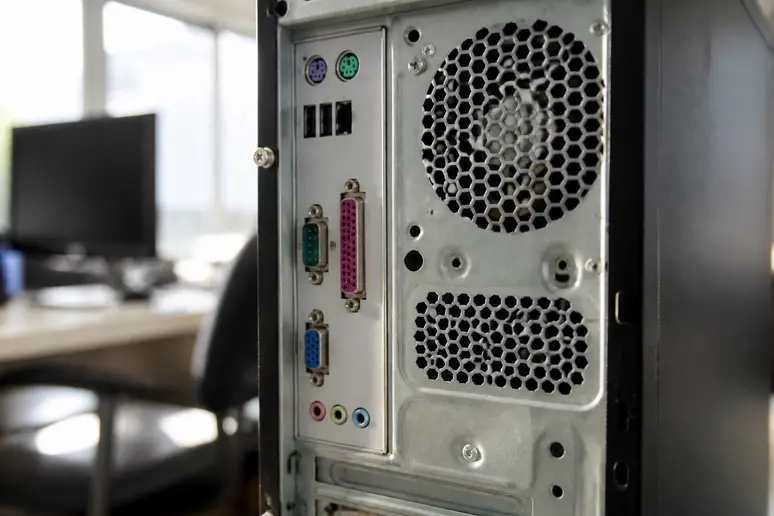
Windows Fax and Scan requires a physical fax modem or connected phone line, which modern computers and ARM-based Windows 11 PCs lack. When properly connected to an active analog telephone jack, this native utility manages incoming and outgoing transmissions through the local operating system interface.
While this tool eliminates subscription costs for basic desktop use, its reliance on obsolete hardware makes it impractical for modern digital workspaces. Finding compatible internal PCI modems or external USB adapters for current operating systems grows increasingly difficult.
Why are modern cloud add-ins preferred over traditional fax modems?
Cloud add-ins and web-based gateways remove the dependency on physical telephone infrastructure, eliminating busy signals and dedicated line leasing costs. Maintaining an analog phone line exclusively for occasional document transmission creates unnecessary overhead for modern businesses.
Shifting to cloud-based delivery ensures consistent uptime, detailed transmission logs, and scalable capacity. Modern administrative dashboards provide delivery receipts and error reporting directly inside your administrative console.
Enter your cloud gateway recipient address and attach your document to start sending faxes without hardware.
FAQ
Can I send a fax from Outlook on my mobile phone?
Yes, because the email-to-fax method relies on standard email transmission, it functions across mobile mail applications as long as your account has access to the internet and the correct gateway domain syntax.
Do I need a physical phone line to fax from Outlook?
No, cloud-based email-to-fax gateways route transmissions entirely over the internet through a carrier network, removing the need for a dedicated analog telephone line or physical modem.
What happens if an email fax delivery fails?
The cloud gateway provider returns an automated bounce-back message to your inbox detailing the delivery failure, similar to a standard email rejection notice, allowing you to check the number and resend.
Can I receive faxes directly into my Outlook inbox?
Yes, cloud fax providers typically assign you a dedicated virtual number that converts incoming transmissions into PDF attachments and delivers them straight to your email inbox.
Are email-to-fax transmissions secure for sensitive data?
Many enterprise-grade cloud fax providers offer encrypted transport layers and compliance features suitable for handling confidential business and healthcare documents securely.